Chores, but they feel like progress.
Sweep turns everyday home tasks into a routine you’ll actually keep: snap a before, snap an after, and watch your wins stack up.
For iPhone and iPad · iOS 18.6 or later · Sign in with Apple
How it works
Three steps. Real results.
-
Step 1
Add a task
Drop chores into your Sweep feed, from a quick dish run to a full garage reset.
-
Step 2
Snap a before and after
Take a before photo, do the thing, take an after. That’s your proof it’s done.
-
Step 3
Earn rewards, see progress
Every finished task pops a reward banner, and your Progress tab keeps the achievements coming.
Features
Everything your home routine needs.
Nothing it doesn’t.
-
Photo proof
Before and after photos turn “I think I did it” into “look what I did.”
-
Calendar
See what’s on today, this week and beyond, all in one tidy view.
-
Maintenance reminders
Recurring upkeep like filters, gutters and smoke alarms gets its own Maintenance tab, so nothing slips.
-
Progress and achievements
Unlock achievements as you go and watch your finished tasks add up in the Progress tab.
-
Light and dark mode
Pick the look that suits you in Appearance settings, morning scrub or midnight tidy.
-
Coming soon
Apple Watch
Start a task and see it on your wrist, timer and all, so your phone can stay in your pocket.
Meet Spite Agent
The mess has been winning. Not anymore.
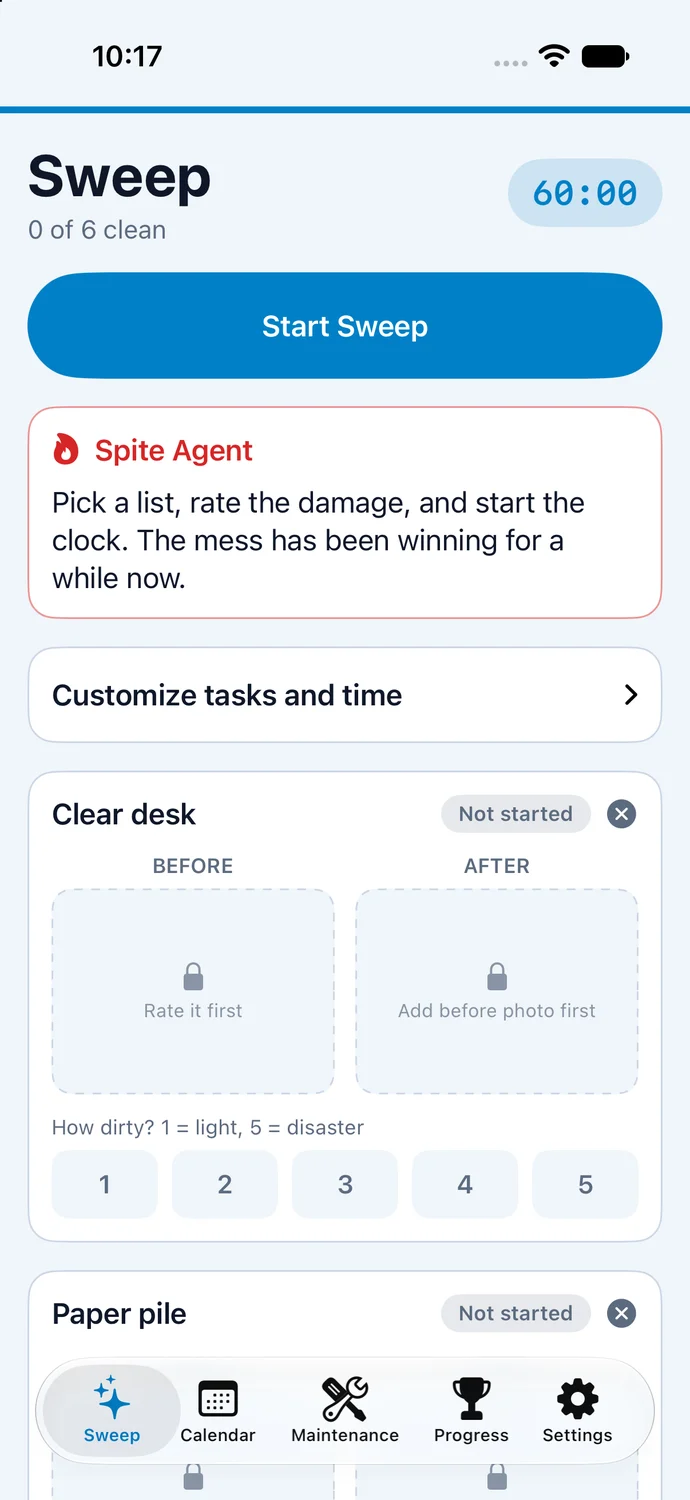
Spite Agent is the voice in Sweep that won’t let the mess off easy. It tells it like it is, then gets you moving: pick a list, rate the damage, and start the clock.
Pick a list, rate the damage, and start the clock. The mess has been winning for a while now.
Your home stays your business.
Sweep is built to keep things simple and private.
-
Camera for task photos only
Sweep only uses your camera to take before and after photos of your tasks.
-
Stored securely on your device
Sensitive data is kept in secure storage on your iPhone or iPad.
-
Sign in with Apple
One tap to get started, no new password to remember.
Questions, answered.
Is Sweep free?
Joining the TestFlight beta is free.
Which devices does it work on?
Sweep runs on iPhone and iPad with iOS or iPadOS 18.6 or later. Apple Watch support, showing your active task and timer, is coming soon.
How do I join the beta?
Install Apple’s free TestFlight app from the App Store, then tap Join the TestFlight beta on your iPhone or iPad and follow the prompts. Prefer to wait for the App Store release? Leave your email below.
What do you do with my photos?
Your camera is only used for before and after photos of your tasks. Your photos and tasks stay on your device and are never uploaded to our servers, and sensitive data is kept in secure on-device storage. See our privacy policy for details.
Your home, one sweep at a time.
Be one of the first to try Sweep and help shape what comes next.
Join the TestFlight betaNot on TestFlight? Get one email when Sweep hits the App Store.